




1. Home
  2. Global accounts

local details in five currencies.

Your own USD, GBP, EUR, CAD and AUD details, plus SWIFT for 33+ currencies. Clients pay you the way they pay anyone at home.

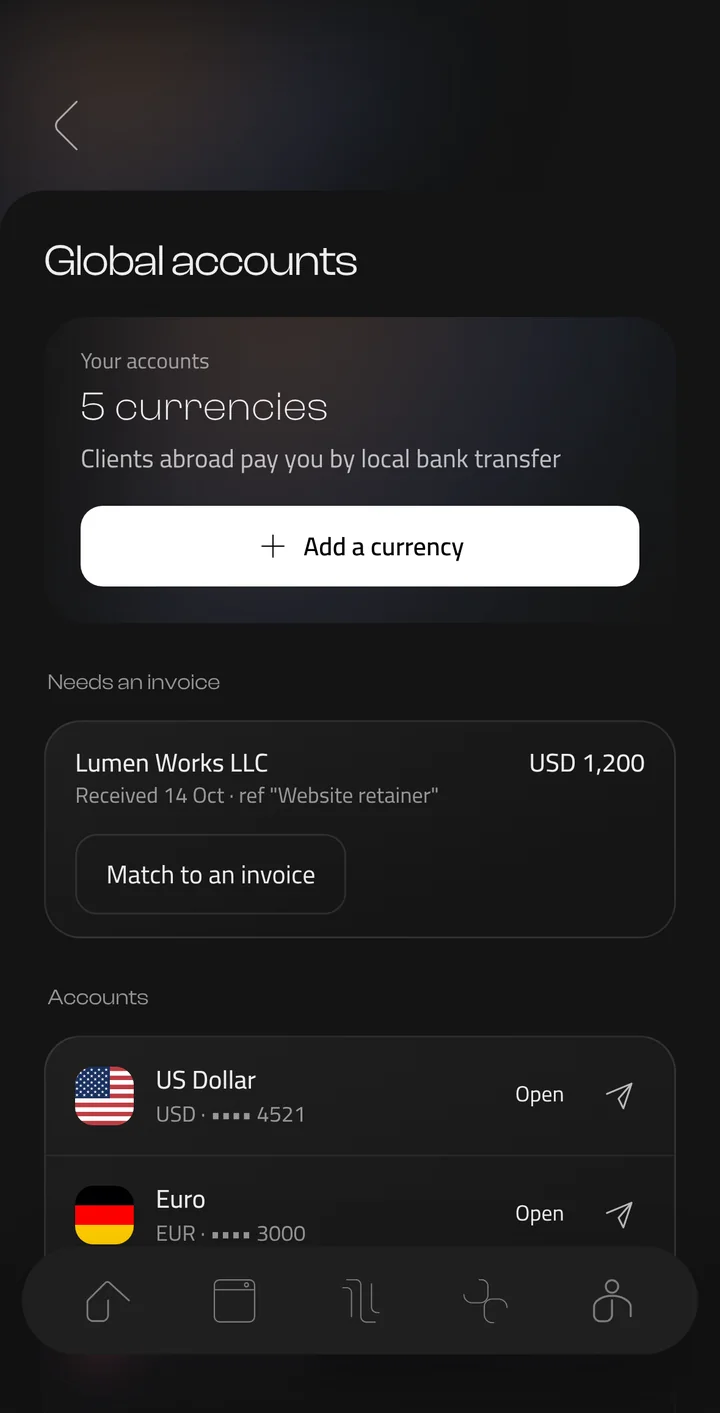
Global accounts in the Zendt app

What is a Zendt global account?

A Zendt global account gives an Indian freelancer local bank details abroad, so clients pay by an ordinary bank transfer in their own country. You get local details in USD, GBP, EUR, CAD and AUD, plus a SWIFT account, covering 33+ currencies in all. A US client pays by ACH or wire, a UK client by Faster Payments, a European client by SEPA, and clients in Canada and Australia by local transfer. Every payment costs a flat 0.5% plus 18% GST on the fee, in every currency. On $1,000 that is $5.00 plus $0.90 GST. There is no markup on the exchange rate, and INR reaches your own bank account the next working day with a FIRA. You can also add your USD details as your payout bank on Upwork, Toptal and Freelancer.com.

paid like a local.

  1. 01Your details, in your name

    USD by ACH and wire, EUR by SEPA, GBP by Faster Payments, AUD and CAD by local transfer.

  2. 02Share them once

    Put them on your invoice, or add them as your payout bank on a marketplace.

  3. 03Your client pays

    A local transfer for them. No international wire, no extra forms.

  4. 04Rupees in your bank

    The next working day, with a FIRA. 0.5% plus GST, on every currency.

one fee, every currency.

0.5%+ GST
Every currency, local or SWIFT

GST at 18% is on the fee only. On $1,000 that's $5.00 plus $0.90.

  • Local details in USD, GBP, EUR, CAD and AUD
  • SWIFT for 33+ currencies, at the same fee
  • No markup on the exchange rate
  • A FIRA for every payment, at no extra cost

made for repeat clients.

Matched to invoices

Match each payment to the invoice it pays, in the app.

Marketplaces too

Add your details as your payout bank on Upwork, Toptal, Freelancer.com and more. How it works.

KYC once

A short video KYC before your first international payment, and you're set.

getting paid from a country?

How clients in each country pay you, the details to give them, and what a payment leaves you in INR.

what $1,000 leaves you.

A $1,000 bank transfer into your global account, at 0.5% plus GST. No markup on the exchange rate.

Your client pays$1,000.00
Zendt fee (0.5%)−$5.00
GST on the fee (18%)−$0.90
You receive$994.10
In your bank₹94,223

Rupees at an example rate, with no markup. The money reaches your bank the next working day, at the rate on the day it converts. To see how this compares, read Skydo vs Zendt.

questions.

Still unsure? Write to hello@zendtpayments.com and a person replies.

Which currencies can I receive?

Local account details in USD, GBP, EUR, CAD and AUD. Your SWIFT account receives 33+ currencies, including AED, AUD, BGN, BHD, CAD, CHF, CNH, CZK, DKK, EUR, GBP, HKD, HUF, ILS, JPY, KES, KWD, MXN, NOK, NZD, OMR, PLN, QAR, RON, SAR, SEK, SGD, THB, TRY, UGX, USD, ZAR.

What does it cost?

0.5% of each payment plus GST at 18% on that fee. On a $1,000 payment, the fee is $5.00 and the GST on it is $0.90.

Who can open one?

Indian freelancers who sign up with PAN and bank details and finish a short video KYC.

Can I use them on freelance marketplaces?

Yes. Add your account details as your payout bank on Upwork, Toptal, Freelancer.com and other marketplaces, and withdraw as usual. See marketplaces.

When does the money reach my bank?

Usually the next working day, in INR. Zendt matches each payment to its invoice by the reference. If there is no invoice yet, the app asks you for one, and the payment settles once you add it.

start with your next invoice.

Set up your account in a few minutes with your PAN and bank details. Use Zendt on iOS, Android or the web.

Create account
Download on the App Store Get it on Google Play
Use Zendt on the web
Scan to get Zendt on your phonePoint your phone camera here